
Kuaishou Video Downloader Not Working? All Problems Fixed – 2026
Are you facing issues with the Kuaishou video downloader not working? The problem is usually caused by the video URL, source availability, or browser settings issues. A downloader can work normally for one video and fail for another because individual videos can have different access conditions.
Why Is My Kuaishou Video Downloader Not Working?
Start by checking whether the Kuaishou video opens normally from the original source. If the video itself cannot be viewed, has been removed, or requires restricted access, a standard downloader may not be able to process it.
How to Fix the Failed Kuaishou Link Parsing
Link parsing errors occur when the downloader cannot correctly identify the video associated with the URL. This can happen because the link is incomplete or expired.
The Link Is Incomplete or Incorrect
Copy the URL directly from Kuaishou’s sharing option instead of typing or manually editing it. Make sure no extra text, spaces, or characters are included when copying.
The Kuaishou Link Has Expired
Some shared URLs may no longer work after a period of time or after the underlying content becomes unavailable. If an old link produces an error, generate a fresh share link.
You Copied a Profile or Search Link
A profile URL, hashtag page, or search-results link does not necessarily identify one specific video. A downloader generally needs a URL that points to an individual piece of content.
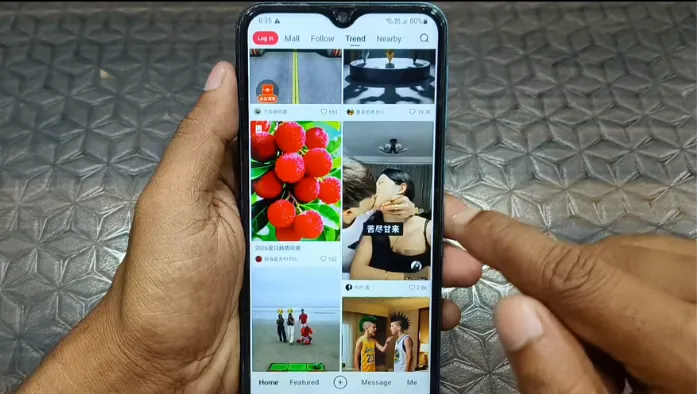
Kuaishou Downloader Is Stuck or Not Responding
Sometimes the URL is accepted, but the processing never completes. This can happen because of a temporary server issue, an unstable connection, or a change in how the source delivers the video.
Download Stuck at 99%
Processing appears stuck at 99%; wait briefly before closing the page. If there is no progress, refresh the downloader and submit a freshly copied URL.
Download Starts but Never Finishes
Check whether your browser is blocking the download or waiting for permission to save the file. Also, make sure your device has enough free storage.
Nothing Happens After Pasting the Link
Pasting a URL produces no response. Refresh the page and try again. Make sure the complete URL is inside the input field and that your browser is running normally.
Download Button Is Missing or Not Working
A missing or unresponsive download button is caused by a temporary page-loading issue, browser settings, or an extension interfering with the downloader’s scripts. Refresh the page and paste the Kuaishou video link again.
Refresh the Downloader Page
Refresh the page and paste the video URL again. If the page loaded incorrectly, a fresh page load may restore the processing and download controls.
Check Browser Extensions and JavaScript
Some privacy tools, script blockers, or aggressive browser extensions can interfere with interactive downloader pages.
Try Another Updated Browser
If the button remains unavailable. Try another current browser. Keeping your browser updated also helps prevent compatibility problems.
Having Trouble while Downloading Kuaishou Videos on Windows?
Downloading videos on Windows may fail when a Kuaishou link is incomplete, expired, or restricted. Check the URL, refresh the downloader, and try again with an updated browser.
Kuaishou Downloader Works for Some Videos but Not Others
If the downloader works for one Kuaishou video but fails with another, that does not necessarily mean the entire service is broken.
Different Videos Can Have Different Availability
Videos can differ in privacy settings, source quality, regional access, and link type. A public video is downloadable, while another video from the same platform is restricted.
Platform Changes Can Temporarily Affect Downloaders
Third-party downloaders depend on the way a platform makes content available. If Kuaishou changes its URL structure, a downloader may temporarily have trouble processing.
Quick Kuaishou Downloader Troubleshooting Checklist
| Problem | Quick Fix |
| Invalid link | Copy a fresh video link |
| Link expired | Generate a new share link |
| Stuck at 99% | Retry with a stable connection |
| Button missing | Refresh and check browser settings |
| No sound | Check the source audio or use another player |
| Low quality | Select the highest available quality |
| Private video | Use publicly accessible content |
| Deleted video | Find an active version |
Conclusion
Kuaishou video downloader is not working properly. Start with the simplest checks: verify the video, copy a fresh link, refresh the downloader, and check your browser. Problems such as expired URLs, private content, incomplete links, stuck processing, and source-quality limitations can all produce similar-looking errors.